If you’re new to digital painting, it can feel like there’s a lot to learn.
You’ve got the tablet, the software, the brushes, the layers… and then you’re actually supposed to make a painting with all of it!
When I first started getting into digital art, I quickly realised that the technology can sometimes get in the way of the actual art. It’s very easy to spend ages downloading brushes, changing settings or watching tutorials when what you really want to do is sit down and paint.
And, of course, there are plenty of mistakes you can make along the way.
The good news is that making mistakes is completely normal. In fact, you’re going to make lots of them. That’s how you learn.
But there are a few common beginner mistakes that are worth knowing about because they can make learning digital painting much more difficult than it needs to be.
So, if you’re just starting out, here are some of the things I’d watch out for.
Don’t Skip the Basics
Click here for the basics of digital painting
I know.
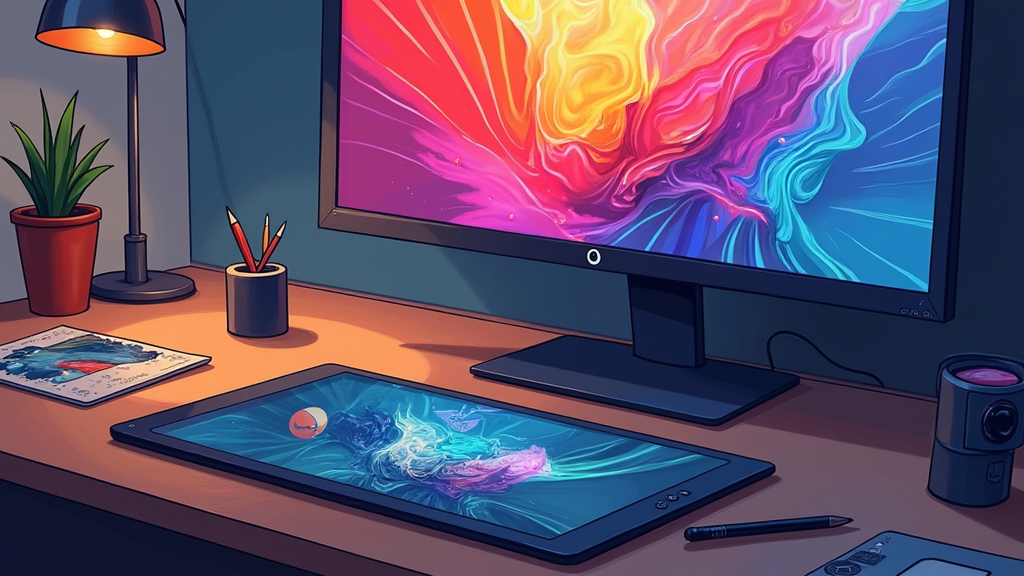
You’ve got a shiny new tablet and you want to paint something amazing.
You probably don’t want to spend your time drawing spheres or practising perspective when you could be creating something much more exciting.
But those boring-looking exercises really do have a purpose.
Things like light and shadow, perspective, colour, form and composition are the foundations of digital painting. Digital tools might make the process easier in some ways, but they don’t remove the need to understand the basics of art. (Creative Bloq)
You don’t have to become an expert in all of these things before you start painting.
Actually, I think it’s much more enjoyable to learn them as you go.
Paint something you want to paint, notice what isn’t working and then learn the skill you need to fix it.
That way, you’re learning something because you actually have a reason to use it.
Don’t Worry About Having the Most Expensive Equipment
Another easy trap is thinking you need all the best equipment before you can create good digital art.
You don’t.
There are some fantastic tablets and pieces of software available, but you can learn an enormous amount with a fairly basic setup.
If you’ve just bought a tablet, spend some time getting used to it.
Move the pen around.
Try different pressure levels.
Change the brush size.
Experiment with opacity.
Try drawing some lines and shapes.
It might feel a little pointless at first, but you’re teaching your hand how the tablet works.
Eventually, you stop thinking about the tablet and just use it. That’s when things start to feel much more natural.
Don’t Download 500 Brushes!
This one is very easy to do.
You find a gorgeous brush pack online.
Then another one.
Then someone recommends another brush that apparently makes amazing hair.
Before you know it, you’ve got hundreds of brushes sitting in your software and absolutely no idea which one to use.
I’ve been there.
The funny thing is that having more brushes doesn’t necessarily make painting easier.
In fact, it can make things more confusing.
Try sticking with a small number of brushes while you’re learning. Get to know how they behave and what you can actually do with them.
You might be surprised at how much you can create with a very simple brush. Limiting yourself to a couple of brushes is also recommended in beginner digital-painting guidance from artists and educators. (Design & Illustration Envato Tuts+)
Once you’ve become comfortable with your main brushes, then start experimenting.
Don’t Zoom In Too Much
Digital art has a wonderful feature called zoom.
Unfortunately, it’s also incredibly easy to become obsessed with it.
You start working on someone’s eye.
You zoom in.
You fix one tiny bit.
Then you notice another tiny bit.
Before you know it, you’ve spent half an hour working on something that’s barely visible when you zoom back out.
I’ve definitely done this.
The problem is that you can lose sight of the painting as a whole.
A beautifully painted eye isn’t going to save a portrait if the proportions of the face are wrong.
Try zooming out regularly and looking at your painting as a whole.
If it looks good when it’s small, that’s a good sign.
You can always come back and add the details later.
Don’t Forget About Light and Dark
When you’re starting out, it’s easy to get excited about colour.
I mean, that’s one of the fun things about digital painting, isn’t it?
You have practically every colour imaginable sitting right there on your screen.
But colour isn’t everything.
The light and dark areas of your painting — often called values — are incredibly important.
If the values aren’t working, a painting can look flat or confusing even if you’ve used beautiful colours.
One thing you can try is looking at your painting in grayscale.
Suddenly, you can’t rely on the colours to distract you. You can see whether your subject actually stands out and whether the light and shadows make sense.
It’s a really useful little check to do while you’re working. Value structure is widely treated as one of the foundations of digital painting. (Kyanite Studios)
Don’t Blend Everything to Death
When you discover blending, it can be very tempting to smooth everything out.
You want your colours to transition beautifully from one to another.
But if you blend absolutely everything, your painting can end up looking a bit muddy or plastic.
You don’t actually need every edge to be soft.
Some areas can be sharp.
Some can be soft.
Some can almost disappear altogether.
Having a mixture of edges gives a painting much more interest.
So if you’ve been sitting there trying to make every single transition perfectly smooth, step away from the blending tool for a little while!
Use References
There seems to be an idea that using references somehow means you aren’t a “real” artist.
I don’t agree with that at all.
References are incredibly useful.
If you’re trying to paint a hand, a building, a particular type of lighting, a hairstyle or even the way fabric folds, why make life harder for yourself by guessing?
Find some photographs and study them.
You don’t have to copy them exactly. They’re simply there to help you understand what you’re looking at.
Don’t Be Frightened of Making a Mess
The more you observe, the more you build up your visual knowledge, and eventually you’ll find it easier to draw things from your imagination too. Using references is a normal part of the learning process for artists. (Artma)
This is probably one of the biggest things I’d tell any beginner.
Don’t be afraid to make mistakes.
Digital art is brilliant for experimenting because you can change things.
Make a horrible mark?
Undo it.
Don’t like the colour?
Change it.
Want to try something completely different?
Save a copy and go for it.
Some of your experiments will be terrible.
That’s okay.
Some might actually turn out better than you expected.
You won’t discover what you’re capable of if you’re always trying to make everything perfect.
Learn Your Software Slowly
When you first open digital art software, it can feel like you’re looking at the controls of a spaceship.
There are buttons everywhere.
Panels.
Menus.
Layers.
Blend modes.
Brush settings you’ve never heard of.
Don’t try to learn everything at once.
Start with the things you actually need.
Learn how to create a canvas.
Learn how to use a brush.
Learn how to undo.
Learn how layers work.
Then gradually add more.
You’ll probably find that you learn much faster once you have a reason for using something.
Don’t Compare Your Beginning With Someone Else’s Middle
This one is easier said than done.
You go online and see someone’s incredible digital painting.
It looks effortless.
Then you look at your own work and think:
“Why can’t mine look like that?”
But you’re not seeing the years of practice behind that finished painting.
You’re seeing the final result.
Instead, compare your work with your own older work.
Keep some of your early paintings.
Don’t delete all the ones you don’t like.
Come back to them in six months.
You might be surprised by how much you’ve improved.
And even if you still don’t love the painting, you’ll probably be able to see things now that you couldn’t see when you first made it.
That’s progress too.
Don’t Give Up Because One Painting Went Wrong
There will be days when everything seems to work.
You’ll make something you’re really proud of and think, “I’m finally getting this!”
And then the next painting will be a complete disaster.
That’s normal.
Learning digital painting isn’t a straight line.
You might improve quickly in one area and then feel like you’ve hit a wall in another.
Keep going.
You don’t need every painting to be successful.
Sometimes the paintings that go wrong teach you more than the ones that go well.
A Few Things to Try Once You’re Comfortable
Once you’ve got the basics under control, you can start having more fun with some of the other features digital art has to offer.
Experiment With Layers
Layers are one of the things I love about digital art.
You can keep different parts of your painting separate and make changes without destroying everything underneath.
Try creating separate layers for things like your sketch, colours, shadows and highlights.
You don’t have to use dozens of layers for every painting, though. Find a system that makes sense to you.
Play With Brush Settings
Once you’ve found a few brushes you like, start changing their settings.
Try changing the size.
Change the opacity.
Experiment with pressure sensitivity.
Try different textures.
You may discover that one brush can actually do far more than you realised.
And that’s much more useful than constantly searching for another brush that promises to magically improve your painting.
Add Some Texture
If your artwork is looking a little too smooth, try adding some texture.
You could use a textured brush or a subtle texture overlay.
Just remember that a little can go a long way.
You want the texture to add something to the artwork rather than becoming the first thing people notice.
Don’t Be Afraid to Experiment
Once you’ve got more confidence, start pushing yourself a little.
Try a colour palette you wouldn’t normally use.
Paint something you’ve never painted before.
Try a different style.
Work with a different brush.
Even if the finished painting doesn’t work, you’ve learned something.
And sometimes experimenting is how you discover the style you eventually become known for.
What Should You Practise?
If you’re not sure what to work on, don’t feel like you need to practise everything at once.
Pick one thing.
Light and Shadow
Take a simple object and paint it using just a few tones.
Look at where the light is coming from and pay attention to the shadows.
Colour
Try creating a few different colour palettes.
You don’t have to use them for a finished painting. Just play around and see what combinations you like.
Sketching
Keep sketching, even if your main goal is digital painting.
Quick sketches are a great way to get ideas down without worrying about making them perfect.
Composition
Before starting a big painting, try doing a few tiny thumbnail sketches.
They’re not supposed to be beautiful.
They’re just little ideas that help you work out where everything should go.
And it’s much easier to change a tiny sketch than it is to change something you’ve spent three hours painting!
Look Back at Your Old Work
One of my favourite things about creating art is being able to look back and see the difference over time.
It’s very easy to feel like you’re not improving when you’re looking at your work every day.
That’s why looking back can be so useful.
Find something you created six months ago.
Then compare it with something you’ve made recently.
You might notice better colour choices, stronger compositions, better proportions or simply more confidence in your brushwork.
Those improvements can be easy to miss when you’re concentrating on what you still want to learn.
Find Other Artists
You don’t have to learn everything on your own.
There are so many digital artists sharing their work and their processes online.
Watch how other people work.
Look at their sketches.
See how they build up a painting.
Ask questions.
Join an art community if that appeals to you.
And don’t feel as though you have to copy someone else’s style.
Instead, ask yourself:
“What can I learn from this?”
Maybe you love the way someone uses colour.
Maybe their lighting is amazing.
Maybe they have a really interesting way of creating texture.
Take the things you find useful and experiment with them yourself.
Over time, you’ll naturally develop your own way of doing things.
Frequently Asked Questions
How do I know when my painting is ready to move on?
Take a break.
Seriously.
Walk away for a while and come back later.
Look at it zoomed out.
Look at it in grayscale.
Flip the canvas if your software has that option.
Sometimes you need to see your painting differently to notice what isn’t working.
I feel overwhelmed by all the tools in my software. What should I do?
Ignore most of them!
You don’t need to know everything.
Choose the tools you actually need and learn those first.
As you become more confident, you’ll naturally start exploring the other features.
I keep comparing my artwork with professional artists.
We’ve all done it.
Try looking at your own progress instead.
Keep your old work. Look at where you started.
And remember that the artist you’re comparing yourself with probably spent years getting to where they are now.
You don’t have to catch up with them.
You just have to keep moving forward from where you are.
Final Thoughts
Digital painting can look complicated when you’re starting out.
There are so many tools, so many techniques and so many things you could learn.
But you really don’t need to know everything before you begin.
Start small.
Learn your tools.
Practise the basics.
Use references.
Make mistakes.
Try things.
Make some terrible paintings.
Make some paintings you love.
And keep going.
The more you practise, the less you’ll think about the technology and the more you’ll simply get on with creating.
And I think that’s when digital painting starts to become really enjoyable.
You stop worrying about whether you’re doing everything “right” and start discovering what you like.
So don’t worry about creating your masterpiece straight away.
You never know where it might take you.