Getting Started with Digital Art: What You Really Need as a Beginner
Getting started with digital art is exciting. There are so many things you can create, from cartoons and illustrations to fantasy paintings, game characters and app designs.
But when you first start looking into it, it can also feel a bit overwhelming. There are drawing tablets, styluses, different apps, brushes, layers, tutorials… and suddenly you’re wondering whether you need to spend hundreds of pounds before you’ve even drawn your first picture.
The good news is that you really don’t.
I started out with fairly basic equipment, and some of the simple tools I used in the beginning are still useful to me now. What made the biggest difference wasn’t having expensive equipment. It was getting comfortable with the software and learning how digital drawing actually works.
So, if you’re thinking about giving digital art a try, here’s what I’d recommend.
What Does a Beginner Digital Artist Actually Need?
Digital art is used everywhere these days. You’ll find it in comics, animation, advertising, games, social media, book illustrations and plenty of other creative industries.
But you don’t need professional equipment to get started.
In fact, I’d recommend keeping things simple at first.
You basically need:
- A device such as a computer, iPad or Android tablet
- Some kind of drawing tool, such as a stylus or drawing tablet
- An art program
- A willingness to experiment and practise
That’s really it.
There are plenty of free and inexpensive art programs available now, and they can do far more than you might expect. You don’t need to rush out and buy the most expensive tablet or a high-end computer just because that’s what you see professional artists using.
I learned that the hard way. The fancy equipment can come later. In the beginning, understanding things like layers, brushes, selections and how your particular drawing program works is much more useful.
The Equipment You Need to Get Started
There’s an enormous amount of digital art equipment available, but you can start with surprisingly little.
Drawing Tablet
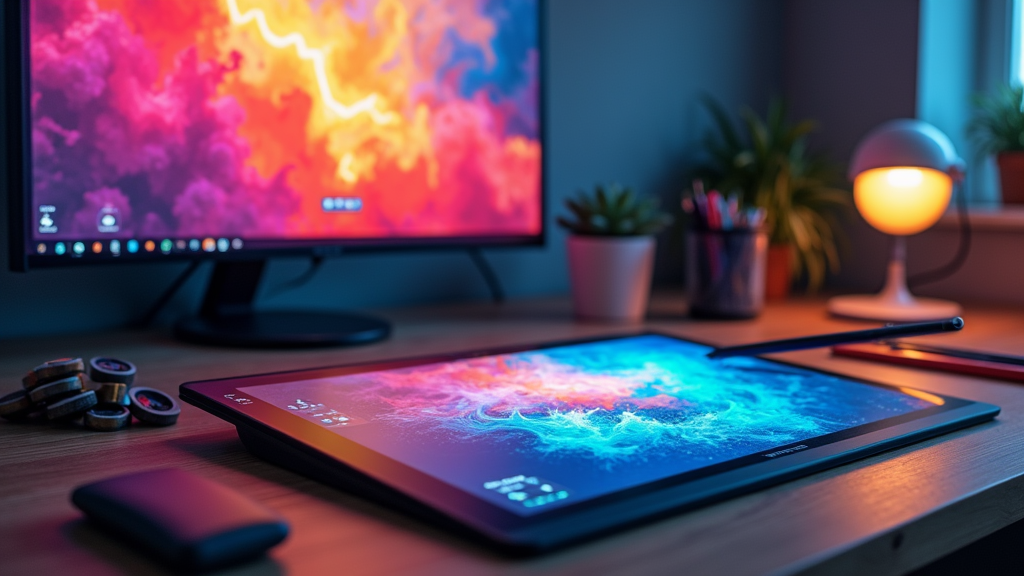
If you’re using a computer, a basic drawing tablet is a good place to start.
These tablets usually have a flat surface that you draw on with a stylus while looking at your computer screen. It can feel strange at first because your hand and your eyes aren’t looking at exactly the same place.
You can also get screen tablets, where you draw directly onto the display. These can feel more natural, but they tend to cost more.
And if you don’t have a drawing tablet yet, don’t let that stop you. You can experiment with a mouse, or use an iPad or Android tablet if you already have one.
Stylus
Most drawing tablets come with their own stylus, so you don’t normally need to buy one separately.
A pressure-sensitive stylus is particularly useful because you can change the thickness or opacity of your brush by pressing harder or more lightly.
It takes a little while to get used to, but once you do, it becomes second nature.
Computer or Tablet
You don’t necessarily need a powerful computer either.
A reasonably modern laptop, desktop, iPad or Android tablet should be enough for getting started. The main thing is to check that it can run the art software you want to use.
Art Software
This is where you have loads of choice.
There are some excellent free programs available, including:
- Krita
- MediBang Paint
- FireAlpaca
- Autodesk SketchBook
If you’re using an iPad, Procreate is another popular option.
I’ve also found Tayasui Sketches really useful. I used it when I was first getting into digital art and created quite a few paintings with it.
There are also plenty of other free drawing apps available, so have a look at what’s already available on your device before spending any money.
You might find that you already have everything you need.
Your First Steps into Digital Art
Once you’ve got your software and whatever equipment you’re going to use, don’t feel that you have to produce a masterpiece straight away.
Spend some time getting to know your tools.
1. Have a Look Around
Open your art program and have a play.
Try different brushes. Draw some lines. Change the brush size. Zoom in and out. Try the undo button.
You really can’t break anything by experimenting.
2. Start with Simple Sketches
Draw circles, squares, lines and random doodles.
It might sound boring, but simple exercises are a good way of getting used to the feel of drawing digitally.
If you’re using a graphics tablet without a screen, you’ll probably find the hand-eye coordination particularly strange at first.
Don’t worry. Your brain catches up.
3. Learn About Layers
Layers are one of the most useful things about digital art.
Instead of having everything on one piece of virtual paper, you can put different parts of your artwork on different layers.
For example, you might have your sketch on one layer, the colours on another and the background on another.
That means you can change one part without messing up everything else.
Layers seemed confusing to me at first, but once they clicked, they made digital art much easier.
4. Use Tutorials
YouTube is packed with digital art tutorials, and there are plenty of websites and online communities where artists share their techniques.
You don’t have to follow a complicated course.
Sometimes a ten-minute video showing you how to use one particular tool can be enough to make something suddenly click.
And don’t underestimate simply watching someone else work. You can pick up a lot just by seeing how another artist approaches a drawing.
Don’t Spend a Fortune Straight Away
This is probably one of the biggest pieces of advice I’d give a new digital artist.
Don’t assume that expensive equipment will make you a better artist.
It won’t.
If you have £1,000 to spend, you could easily find a way of spending it on digital art equipment. But if you’re just starting out, you probably don’t need to.
Start with what you have.
Try a free drawing program. Use your existing tablet. Buy an inexpensive graphics tablet if you need one.
Then, as you become more experienced, you’ll start to notice what you actually want to improve.
Maybe you want a bigger screen. Maybe you want a better stylus. Maybe you realise you prefer drawing on an iPad.
At that point, you’ll be in a much better position to decide where your money is worth spending.
Think About Comfort Too
This is something that’s easy to overlook when you’re excited about creating.
When I first started drawing digitally, I found that my wrist could get sore if I spent too long drawing.
Your workspace doesn’t have to look like a professional artist’s studio, but it should be comfortable.
Make sure:
- Your chair supports you properly
- Your desk is at a comfortable height
- Your drawing tablet isn’t awkwardly positioned
- You’re not gripping your stylus too tightly
- You take regular breaks
If you’re going to spend several hours drawing, comfort really does matter.
Common Problems You’ll Probably Come Across
Every beginner runs into problems. That’s just part of learning.
Layers Don’t Make Sense
Don’t worry if layers seem confusing at first.
Try using just a few layers while you’re learning. Give them sensible names so you know what each one contains.
You’ll soon get used to moving between them.
Drawing on a Tablet Feels Weird
This is especially common if you’re using a graphics tablet without a screen.
Your hand is moving on the tablet, but you’re looking at your computer monitor.
It feels unnatural at first.
Give yourself time to adjust. After you’ve used it for a while, you’ll probably stop thinking about it.
There Are Too Many Brushes
Some drawing programs seem to come with hundreds of brushes.
You don’t need to use them all.
Honestly, start with one basic brush.
Once you’re comfortable with that, experiment with a few others. You’ll gradually work out which ones you actually like.
Staying Motivated When Your Drawings Aren’t Great Yet
This is probably one of the hardest parts of learning any creative skill.
You look at the work of an artist you admire and then look at your own drawing and wonder why yours doesn’t look anything like it.
That’s normal.
One thing I found helpful was keeping a folder of my old artwork.
Every so often, I’d look back at the things I’d drawn when I was starting out. It was surprising to see how much I’d improved without really noticing it happening.
So don’t throw away all those terrible first attempts!
Keep them.
You’ll probably enjoy looking back at them later.
You can also give yourself little challenges. Try a simple drawing prompt, draw from a photograph or redraw something you’ve already done.
The aim isn’t to create something amazing every time. Sometimes it’s simply to practise.
How to Improve Your Digital Art
Once you’re comfortable with the basics, you can start experimenting more.
Use References
References are incredibly useful.
Use photographs when you’re struggling with poses, hands, clothing, buildings, animals, lighting or backgrounds.
Using a reference isn’t cheating. You’re learning how things actually look.
References helped me understand things like anatomy and backgrounds much more quickly.
Experiment with Different Styles
You don’t have to decide what your “style” is straight away.
Try cartoon drawing. Try something more realistic. Have a go at pixel art. Experiment with different types of illustration.
You might be surprised by what you enjoy.
Your style will develop naturally as you keep drawing.
Try Different Brushes
Once you’re comfortable with the basic brushes, have a play with some others.
You can find brushes that create textures such as fur, pencil, ink or watercolour.
You don’t need hundreds of them, though. A handful that you really like is often much more useful.
Learn a Few Keyboard Shortcuts
Once you’re doing more complicated work, shortcuts can save you a surprising amount of time.
Undo, zoom, changing brushes and other common commands are much quicker when you don’t have to keep hunting through menus.
You don’t have to learn them all at once. Pick a couple and gradually add more.
Keep Your Old Work
I really recommend keeping a digital sketchbook or folder for your artwork.
Save your sketches, experiments and finished pieces.
It gives you somewhere to look back at your progress, but it can also give you ideas when you’re stuck.
Sometimes an old unfinished drawing contains the starting point for something much better.
Some Beginner-Friendly Digital Art Equipment
If you’re looking for somewhere to start, there are lots of reasonably priced options.
For drawing tablets, brands such as Wacom, Huion and XP-Pen have beginner-friendly models.
For software, you could try:
- Krita
- MediBang Paint
- FireAlpaca
- Tayasui Sketches
- Drawing Desk
- Procreate, if you’re using an iPad
You should also think about backing up your artwork.
Digital files can disappear surprisingly easily if something goes wrong with your computer or tablet. Save important artwork to cloud storage, an external drive or a USB stick.
And don’t forget about references.
I use Pinterest for inspiration, and having a collection of interesting colours, poses, textures and artwork can be really useful when you don’t know what to draw.
Just remember that inspiration isn’t the same as copying someone else’s work and claiming it as your own.
Frequently Asked Questions
Do I need to know how to draw traditionally before learning digital art?
No.
Some people come to digital art after years of drawing with pencils and paints, while others start digitally without much drawing experience at all.
You will still need to learn how to draw if you want to create your own artwork, but you can learn those skills digitally.
What’s the difference between a screen tablet and a regular drawing tablet?
With a screen tablet, you draw directly onto the display.
With a regular graphics tablet, you draw on the tablet’s surface while looking at your computer monitor.
Neither is automatically better. It’s largely a matter of personal preference and budget.
How can I deal with art block?
Sometimes the best thing you can do is stop trying to create something “good”.
Draw something silly. Follow a random prompt. Copy a comic panel for practice. Redraw an old piece of your own artwork.
Or just take a break.
You don’t have to be productive every time you sit down with your tablet.
Final Thoughts
Getting started with digital art doesn’t have to be complicated or expensive.
You don’t need the latest iPad, an expensive drawing display or a computer covered in fancy specifications. You need something you can draw with, some software and enough time to get comfortable with it.
My biggest piece of advice is to start with what you already have.
Download a free app. Have a play. Make some terrible drawings. Try again.
You’ll probably make mistakes, get frustrated with your software and wonder why your drawing doesn’t look anything like the picture in your head.
That’s all part of it.
The more you use your tools, the more natural they become. And eventually you’ll look back at those first sketches and realise just how far you’ve come.
So don’t spend months researching the perfect equipment before you start.
Start creating. You can figure out the rest as you go.
Hey there, this was a very intuitive and insightful article to help people get started with digital artwork. A question that came up while I was reading is do you have any recommendation of what kind of art is best to do digitally? For example, animation, pixel, art, watercolors, or something I’m not getting? Just curious if there’s one style or art type that works better over others.
Thats a very good question, I have found that a good way to start is trying whatever you like doing. I have been learning animation on Procreate and it has been easier than I thought. Another thing that I did was do some basic drawing and painting with various brushes. I used Freya’s art courses on procreate to help me get started. It takes time to find your style. Hope that helps.
Really encouraging article for beginners—thank you for laying things out so clearly! I was wondering, for someone just starting out with a limited budget, do you think it’s better to invest early in a drawing tablet or to begin with free software and a mouse just to get the basics down?
Also, how important would you say having a social media presence is in the early stages? Should a beginner focus more on developing skill first, or start sharing their progress publicly to build momentum and feedback?
Appreciate your insights—it’s great to see guidance that feels approachable instead of overwhelming.
Thank you for your insight.
Hi Charlie.
Your article is a great springboard for new aspiring artists or old school ones like myself to see there are other ways to capture the creative essence of an idea much faster. I like the fact that you stressed practice plays a key role and it’s not the tech you use but and understanding how to work with it and by experimenting that can help ideas flow.
You also brought up that preparation helps with getting in that zone to be able to create – and with a dedicated space for art creation it keeps you motivated. You’re right, if it’s just a whimsical attempt to learn without committing to a personal space to do art the process tends to be slow and then motivation drops fast.
Your personal insight explains what to expect and how to overcome inevitable creative art blocks. Great examples on how to rise above it when it does happen.
The writing style is easy to follow and not pushy – giving a potential artist ideas on where the starting point would be for someone interested in getting involved with digital art. The fact that you did not mention any average prices to start really leaves the entry point wide open for the aspiring artist. I’ve come from the traditional pencil to paper background and I’m always amazed of what can be done digitally with art.
Thank you for your lovely comment.